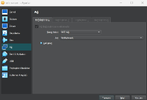
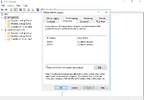
VirtualBox'da bir Windows Server 2016 bir de Windows 10 makinesi ile Active Directory lab ortamı kurmak istiyorum. İzlediğim eğitimde "NAT Ağı" konfigürasyonlarını harfiyen yaptım, Active Directory Domain Services ve DNS server rolleri de inmiş durumda fakat server halen internete çıkamıyor. Konfigürasyonları ss olarak paylaşıyorum.
Ayrıca DNS server şu hatayı veriyor:
408: The DNS server could not open socket for address 192.168.1.10.
Verify that this is a valid IP address for the server Computer. If it is NOT valid use the Interfaces diyalog under Server Properties in the DNS Manager to remove it from the list of IP interfaces. Then stop and restart the DNS server. (If this was the only IP interface on this machine and the DNS server may not have started as a result of this error. In that case remove the DNS\Parameters\ ListenAddress Value'in the services section of the registry and restart.)
If this is a valid IP address for this machine, make sure that no other application (e. G. Another DNS server) is running that would attempt to use the DNS port.
For more information, see "DNS server log reference" in the online Help.
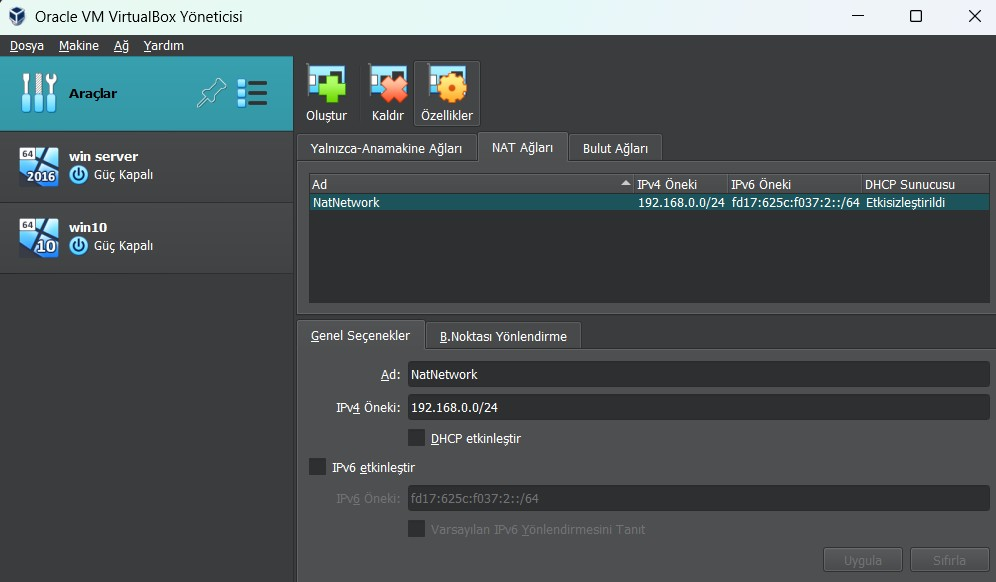
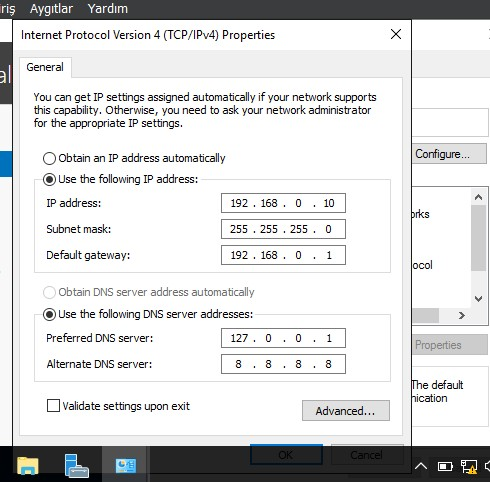
Ayrıca DNS server şu hatayı veriyor:
408: The DNS server could not open socket for address 192.168.1.10.
Verify that this is a valid IP address for the server Computer. If it is NOT valid use the Interfaces diyalog under Server Properties in the DNS Manager to remove it from the list of IP interfaces. Then stop and restart the DNS server. (If this was the only IP interface on this machine and the DNS server may not have started as a result of this error. In that case remove the DNS\Parameters\ ListenAddress Value'in the services section of the registry and restart.)
If this is a valid IP address for this machine, make sure that no other application (e. G. Another DNS server) is running that would attempt to use the DNS port.
For more information, see "DNS server log reference" in the online Help.
Son düzenleyen: Moderatör: